
Endpoint monitor
Check an HTTP endpoint once, on an interval, or with cron and inspect status, latency, and response history.
View source ↗Build it from an empty Ayjnt project
Follow the steps in order. Every source block below is the actual checked example file, so the tutorial and runnable project cannot quietly drift apart.
Scaffold and install
Create an empty harness and add only the dependencies this example needs.
bunx ayjnt new monitor-harness --empty
cd monitor-harness
bun install

# delete agents/alive after adding the files belowSchedule checks where state lives
One agent method handles one-time, interval, and cron schedules and records a bounded run history.
Create agents/monitor/agent.ts with this source:
import { Agent, callable } from "ayjnt";

type Cadence =
  | { kind: "once"; delaySeconds: number }
  | { kind: "interval"; everySeconds: number }
  | { kind: "cron"; expression: string };
type Monitor = {
  id: string;
  url: string;
  label: string;
  cadence: Cadence;
  scheduleId: string;
  createdAt: number;
};
type Run = {
  id: string;
  monitorId: string;
  at: number;
  ok: boolean;
  status: number;
  durationMs: number;
  preview: string;
};
type State = { monitors: Monitor[]; runs: Run[] };

export default class MonitorAgent extends Agent<State> {
  override initialState: State = { monitors: [], runs: [] };

  @callable()
  async create(
    label: string,
    url: string,
    cadence: Cadence,
  ): Promise<Monitor> {
    const parsed = new URL(url);
    if (!["http:", "https:"].includes(parsed.protocol)) {
      throw new Error("Only HTTP and HTTPS URLs are supported.");
    }
    const id = crypto.randomUUID();
    const schedule =
      cadence.kind === "once"
        ? await this.schedule(cadence.delaySeconds, "check", id)
        : cadence.kind === "interval"
          ? await this.scheduleEvery(cadence.everySeconds, "check", id)
          : await this.schedule(cadence.expression, "check", id);
    const monitor = {
      id,
      url: parsed.toString(),
      label: label.trim() || parsed.hostname,
      cadence,
      scheduleId: schedule.id,
      createdAt: Date.now(),
    };
    this.setState({ ...this.state, monitors: [monitor, ...this.state.monitors] });
    return monitor;
  }

  async check(monitorId: string): Promise<void> {
    const monitor = this.state.monitors.find((item) => item.id === monitorId);
    if (!monitor) return;
    const started = Date.now();
    let run: Run;
    try {
      const response = await fetch(monitor.url, {
        headers: { "user-agent": "ayjnt-scheduler-example/1.0" },
      });
      const text = await response.text();
      run = {
        id: crypto.randomUUID(),
        monitorId,
        at: Date.now(),
        ok: response.ok,
        status: response.status,
        durationMs: Date.now() - started,
        preview: text.replace(/\s+/g, " ").slice(0, 180),
      };
    } catch (error) {
      run = {
        id: crypto.randomUUID(),
        monitorId,
        at: Date.now(),
        ok: false,
        status: 0,
        durationMs: Date.now() - started,
        preview: error instanceof Error ? error.message : String(error),
      };
    }
    this.setState({ ...this.state, runs: [run, ...this.state.runs].slice(0, 100) });
  }

  @callable()
  async runNow(monitorId: string): Promise<void> {
    await this.check(monitorId);
  }

  @callable()
  async remove(monitorId: string): Promise<void> {
    const monitor = this.state.monitors.find((item) => item.id === monitorId);
    if (monitor) await this.cancelSchedule(monitor.scheduleId).catch(() => {});
    this.setState({
      monitors: this.state.monitors.filter((item) => item.id !== monitorId),
      runs: this.state.runs.filter((item) => item.monitorId !== monitorId),
    });
  }
}
Make schedules visible
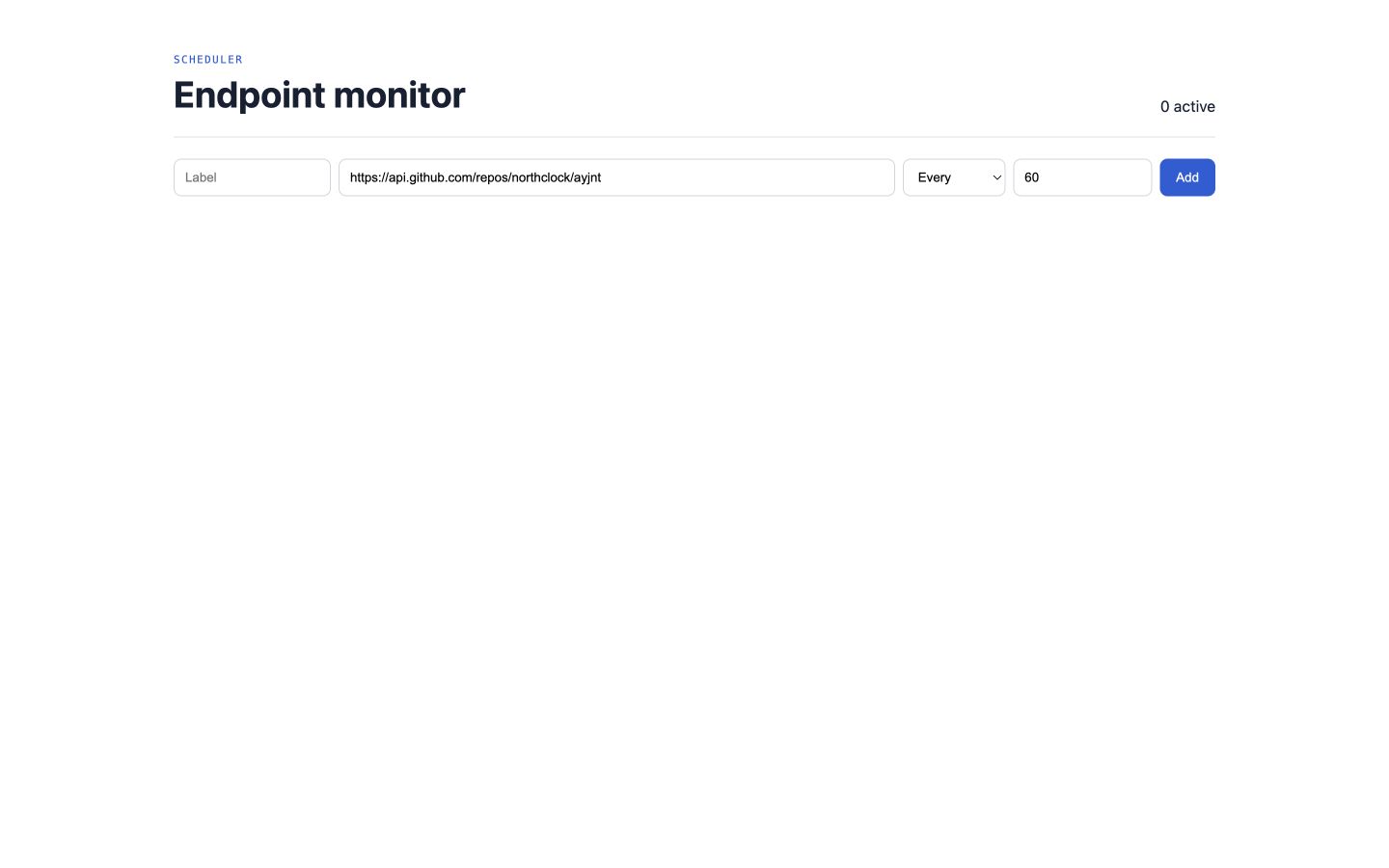
The UI creates monitors, runs them immediately, removes schedules, and explains their cadence in human terms.
Create agents/monitor/app.tsx with this source:
import { useState } from "react";
import { useAgent } from "@ayjnt/monitor";

export default function Monitor() {
  const agent = useAgent();
  const [label, setLabel] = useState("");
  const [url, setUrl] = useState("https://api.github.com/repos/northclock/ayjnt");
  const [kind, setKind] = useState<"once" | "interval" | "cron">("interval");
  const [value, setValue] = useState("60");
  const state = agent.state;
  if (!state) return <main style={styles.main}>Connecting…</main>;

  const submit = async (event: React.FormEvent) => {
    event.preventDefault();
    const cadence = kind === "once"
      ? { kind, delaySeconds: Number(value) }
      : kind === "interval"
        ? { kind, everySeconds: Number(value) }
        : { kind, expression: value };
    await agent.call("create", [label, url, cadence]);
    setLabel("");
  };

  return (
    <main style={styles.main}>
      <header style={styles.header}><div><small style={styles.eyebrow}>SCHEDULER</small><h1 style={styles.h1}>Endpoint monitor</h1></div><span>{state.monitors.length} active</span></header>
      <form onSubmit={submit} style={styles.form}>
        <input value={label} onChange={(e) => setLabel(e.target.value)} placeholder="Label" style={styles.input} />
        <input value={url} onChange={(e) => setUrl(e.target.value)} placeholder="https://…" style={{ ...styles.input, flex: 1 }} required />
        <select value={kind} onChange={(e) => { setKind(e.target.value as typeof kind); setValue(e.target.value === "cron" ? "0 * * * *" : "60"); }} style={styles.input}>
          <option value="once">Once after</option><option value="interval">Every</option><option value="cron">Cron</option>
        </select>
        <input value={value} onChange={(e) => setValue(e.target.value)} aria-label="Cadence value" style={{ ...styles.input, width: 120 }} />
        <button style={styles.primary}>Add</button>
      </form>
      <section style={styles.grid}>
        {state.monitors.map((monitor) => {
          const latest = state.runs.find((run) => run.monitorId === monitor.id);
          return (
            <article key={monitor.id} style={styles.card}>
              <div style={styles.cardTop}><span style={{ ...styles.dot, background: latest?.ok ? "#55c99d" : latest ? "#ef766a" : "#d5d9df" }}></span><strong>{monitor.label}</strong><code style={styles.code}>{monitor.cadence.kind}</code></div>
              <a href={monitor.url} style={styles.url}>{monitor.url}</a>
              {latest ? (
                <div style={styles.result}><b>{latest.status || "ERR"}</b><span>{latest.durationMs}ms</span><p>{latest.preview}</p><time>{new Date(latest.at).toLocaleString()}</time></div>
              ) : <p style={styles.waiting}>Waiting for first run.</p>}
              <div style={styles.actions}><button onClick={() => agent.call("runNow", [monitor.id])}>Run now</button><button onClick={() => agent.call("remove", [monitor.id])}>Remove</button></div>
            </article>
          );
        })}
      </section>
    </main>
  );
}

const styles = {
  main: { fontFamily: "system-ui, sans-serif", maxWidth: 1080, margin: "0 auto", padding: "42px 22px", color: "#172033" },
  header: { display: "flex", justifyContent: "space-between", alignItems: "end", paddingBottom: 22, borderBottom: "1px solid #dfe2e7" },
  eyebrow: { color: "#225dd8", fontFamily: "monospace", letterSpacing: "0.14em" },
  h1: { margin: "6px 0 0", fontSize: 38 },
  form: { display: "flex", flexWrap: "wrap" as const, gap: 8, padding: "22px 0" },
  input: { padding: "10px 11px", border: "1px solid #d1d6dd", borderRadius: 8, background: "white" },
  primary: { padding: "10px 17px", border: 0, borderRadius: 8, background: "#225dd8", color: "white" },
  grid: { display: "grid", gridTemplateColumns: "repeat(auto-fit,minmax(310px,1fr))", gap: 13 },
  card: { border: "1px solid #dde1e6", borderRadius: 12, padding: 17, background: "#fbfbf8" },
  cardTop: { display: "flex", gap: 9, alignItems: "center" },
  dot: { width: 9, height: 9, borderRadius: "50%" },
  code: { marginLeft: "auto", fontSize: 10, color: "#697180" },
  url: { display: "block", margin: "11px 0", color: "#225dd8", fontSize: 11, whiteSpace: "nowrap" as const, overflow: "hidden", textOverflow: "ellipsis" },
  result: { background: "#f1f2ee", borderRadius: 8, padding: 12, fontSize: 12 },
  waiting: { color: "#818894", fontSize: 12 },
  actions: { display: "flex", gap: 6, marginTop: 12 },
};
Run the harness
bun run build
bun run dev

# open http://localhost:8787/monitor/demo
The build step generates bindings, migrations, client hooks, and environment types before the runtime starts.
Project shape
Verify your result
- Create a monitor for a public HTTP endpoint.
- Press Run now and inspect status, latency, and response preview.
- Create a short interval, wait for the next scheduled entry, then remove it.