
Coding harness
A full-screen terminal coding agent with browser-visible sessions, transcripts, and token usage.
View source ↗Build it from an empty Ayjnt project
Follow the steps in order. Every source block below is the actual checked example file, so the tutorial and runnable project cannot quietly drift apart.
Scaffold and install
Create an empty harness and add only the dependencies this example needs.
bunx ayjnt new coding-harness --empty
cd coding-harness
bun install
bun add @ai-sdk/openai @opentui/core ai zod

# delete agents/alive after adding the files belowCreate durable coding sessions
The coding agent owns one conversation and its usage totals. Notice the simplified Agent<State> signature and the typed class-based call to the session registry.
Create agents/ayjnt-code/agent.ts with this source:
import { Agent, callable } from "ayjnt";
import { createOpenAI } from "@ai-sdk/openai";
import { generateText, stepCountIs, type ModelMessage } from "ai";
import { agentTools } from "ayjnt/tools";
import SessionsAgent from "../sessions/agent.ts";

declare global {
  namespace Ayjnt {
    interface GeneratedEnv {
      OPENAI_API_KEY: string;
    }
  }
}

export type Turn = {
  id: string;
  role: "user" | "assistant";
  text: string;
  at: number;
};

type State = {
  title: string;
  turns: Turn[];
  inputTokens: number;
  outputTokens: number;
  running: boolean;
};

export default class CodeAgent extends Agent<State> {
  override initialState: State = {
    title: "New coding session",
    turns: [],
    inputTokens: 0,
    outputTokens: 0,
    running: false,
  };

  @callable({ description: "Give the coding agent its next task." })
  async run(prompt: string): Promise<string> {
    const clean = prompt.trim();
    if (!clean || this.state.running) return "";

    const user: Turn = {
      id: crypto.randomUUID(),
      role: "user",
      text: clean,
      at: Date.now(),
    };
    this.setState({
      ...this.state,
      title:
        this.state.turns.length === 0 ? clean.slice(0, 54) : this.state.title,
      turns: [...this.state.turns, user],
      running: true,
    });

    try {
      const openai = createOpenAI({ apiKey: this.env.OPENAI_API_KEY });
      const messages: ModelMessage[] = this.state.turns.map((turn) => ({
        role: turn.role,
        content: turn.text,
      }));
      const result = await generateText({
        model: openai("gpt-5-mini"),
        system:
          "You are a careful coding agent. Inspect before editing, keep changes scoped, run relevant checks, and explain the outcome plainly.",
        messages,
        tools: agentTools(this),
        stopWhen: stepCountIs(12),
      });
      const assistant: Turn = {
        id: crypto.randomUUID(),
        role: "assistant",
        text: result.text || "The task completed without a text response.",
        at: Date.now(),
      };
      this.setState({
        ...this.state,
        turns: [...this.state.turns, assistant],
        inputTokens:
          this.state.inputTokens + (result.usage.inputTokens ?? 0),
        outputTokens:
          this.state.outputTokens + (result.usage.outputTokens ?? 0),
        running: false,
      });
      await this.publishSummary();
      return assistant.text;
    } catch (error) {
      const text = error instanceof Error ? error.message : String(error);
      this.setState({
        ...this.state,
        turns: [
          ...this.state.turns,
          { id: crypto.randomUUID(), role: "assistant", text, at: Date.now() },
        ],
        running: false,
      });
      await this.publishSummary();
      return text;
    }
  }

  private async publishSummary(): Promise<void> {
    const registry = await this.agent(SessionsAgent, "default");
    await registry.upsert({
      id: this.name,
      title: this.state.title,
      updatedAt: Date.now(),
      inputTokens: this.state.inputTokens,
      outputTokens: this.state.outputTokens,
      turns: this.state.turns.length,
    });
  }
}
Give the model narrow host tools
Host tools run in Bun, not inside the isolate. Their schemas and side-effect metadata define the bridge contract.
Create agents/ayjnt-code/tools.host.ts with this source:
import { z } from "zod";
import { confinePath, hostTool } from "ayjnt/tools";

const ROOT = process.cwd();

export const listFiles = hostTool({
  description: "List tracked and untracked project files.",
  sideEffects: "read",
  inputSchema: z.object({ query: z.string().optional() }),
  execute: async ({ query }: { query?: string }) => {
    const files = await Bun.$`git ls-files --cached --others --exclude-standard`
      .cwd(ROOT)
      .quiet()
      .text();
    return files
      .trim()
      .split("\n")
      .filter((file) => !query || file.includes(query))
      .slice(0, 500);
  },
});

export const readFile = hostTool({
  description: "Read a UTF-8 project file. Paths cannot escape the project.",
  sideEffects: "read",
  inputSchema: z.object({ path: z.string() }),
  execute: async ({ path }: { path: string }) =>
    Bun.file(confinePath(ROOT, path)).text(),
});

export const writeFile = hostTool({
  description: "Write a UTF-8 project file. Explain the change before calling.",
  sideEffects: "write",
  inputSchema: z.object({ path: z.string(), content: z.string() }),
  execute: async ({ path, content }: { path: string; content: string }) => {
    const target = confinePath(ROOT, path);
    await Bun.write(target, content);
    return { path, bytes: Buffer.byteLength(content) };
  },
});

export const runCommand = hostTool({
  description:
    "Run a command in the project. Prefer read-only checks; never use destructive commands.",
  sideEffects: "exec",
  inputSchema: z.object({ command: z.array(z.string()).min(1) }),
  execute: async ({ command }: { command: string[] }) => {
    const result = Bun.spawnSync(command, { cwd: ROOT });
    return {
      exitCode: result.exitCode,
      stdout: result.stdout.toString().slice(0, 20_000),
      stderr: result.stderr.toString().slice(0, 20_000),
    };
  },
});
Build the terminal surface
The root CLI renders a full-screen OpenTUI conversation and calls the same durable agent instance as the browser.
Create cli.ts with this source:
import {
  BoxRenderable,
  createCliRenderer,
  InputRenderable,
  InputRenderableEvents,
  TextRenderable,
} from "@opentui/core";
import type { AyjntCli } from "@ayjnt/cli";

export default async function ({ agents, argv }: AyjntCli) {
  const sessionId =
    argv[0] ??
    new Date().toISOString().replaceAll(/[:.]/g, "-").slice(0, 19);
  const agent = agents.ayjntCode(sessionId);
  const renderer = await createCliRenderer({ exitOnCtrlC: true });

  const frame = new BoxRenderable(renderer, {
    id: "frame",
    width: "100%",
    height: "100%",
    flexDirection: "column",
    borderStyle: "rounded",
    borderColor: "#315fbd",
    padding: 1,
    gap: 1,
  });
  const header = new TextRenderable(renderer, {
    id: "header",
    content: ` ayjnt-code  ${sessionId}  ·  browser /ayjnt-code/${sessionId}`,
    fg: "#7be0bd",
  });
  const transcript = new BoxRenderable(renderer, {
    id: "transcript",
    flexGrow: 1,
    flexDirection: "column",
    gap: 1,
  });
  const status = new TextRenderable(renderer, {
    id: "status",
    content: "Ready",
    fg: "#8993a5",
  });
  const input = new InputRenderable(renderer, {
    id: "prompt",
    width: "100%",
    placeholder: "Describe a coding task…",
    backgroundColor: "#202b41",
    focusedBackgroundColor: "#263650",
    textColor: "#ffffff",
    cursorColor: "#ff9254",
  });

  frame.add(header);
  frame.add(transcript);
  frame.add(status);
  frame.add(input);
  renderer.root.add(frame);
  input.focus();

  let busy = false;
  input.on(InputRenderableEvents.ENTER, async (value: string) => {
    const prompt = value.trim();
    if (!prompt || busy) return;
    busy = true;
    input.value = "";
    transcript.add(
      new TextRenderable(renderer, {
        id: crypto.randomUUID(),
        content: `you  ${prompt}`,
        fg: "#ffb07f",
      }),
    );
    status.content = "Agent is working…";
    const response = await agent.run(prompt);
    transcript.add(
      new TextRenderable(renderer, {
        id: crypto.randomUUID(),
        content: `agent  ${response}`,
        fg: "#dce4f2",
      }),
    );
    status.content = "Ready";
    busy = false;
    input.focus();
  });

  await new Promise<void>((resolve) => {
    renderer.keyInput.on("keypress", (key) => {
      if (key.ctrl && key.name === "c") resolve();
    });
  });
  renderer.destroy();
}
Add the browser history
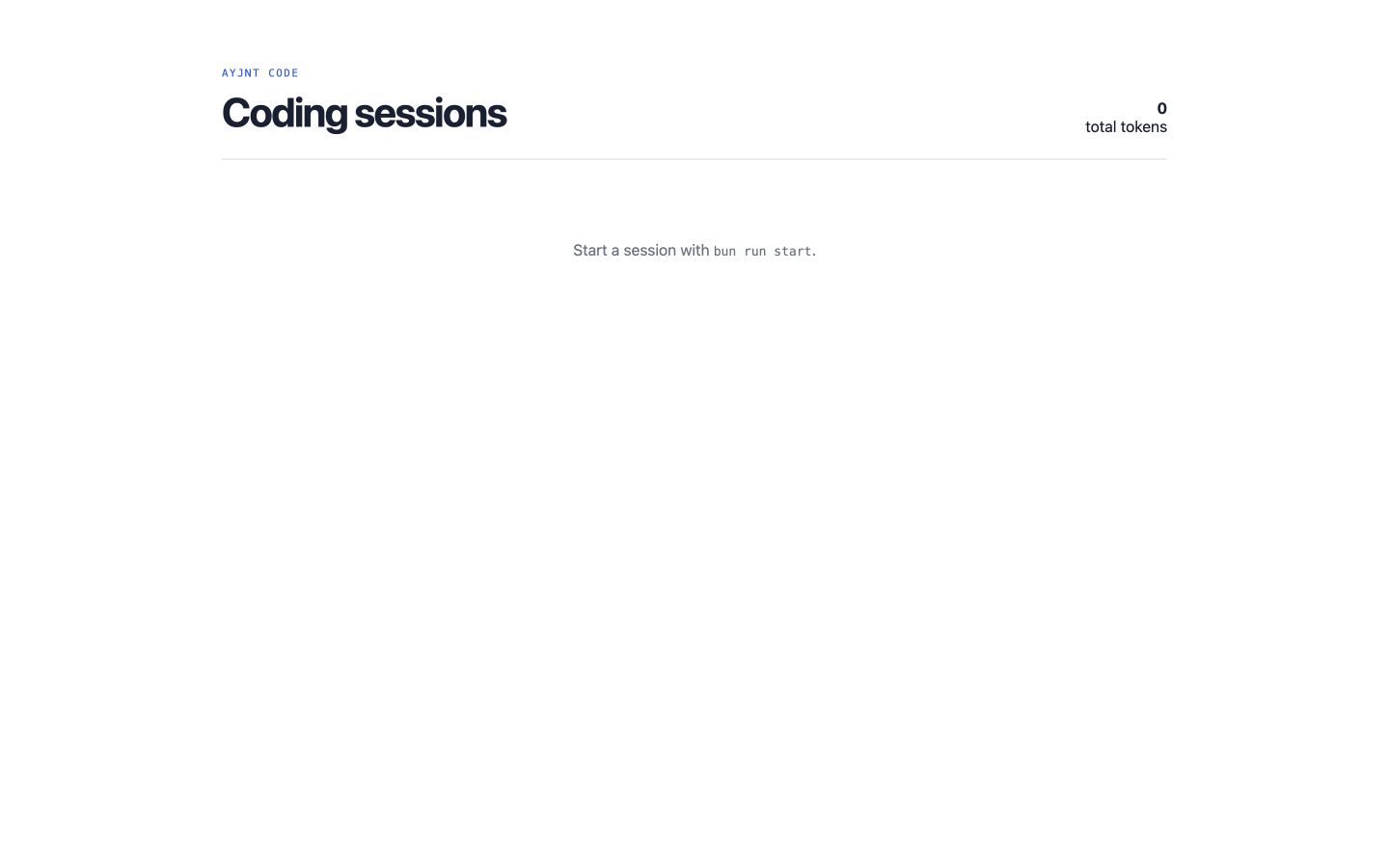
The home page lists sessions; the co-located page renders the complete transcript and token usage.
Create agents/app.tsx with this source:
import { useAgent } from "@ayjnt/sessions";

export default function Sessions() {
  const registry = useAgent({ name: "default" });
  const sessions = registry.state?.sessions ?? [];
  const tokens = sessions.reduce(
    (sum, session) => sum + session.inputTokens + session.outputTokens,
    0,
  );

  return (
    <main style={styles.main}>
      <header style={styles.header}>
        <div><small style={styles.eyebrow}>AYJNT CODE</small><h1 style={styles.h1}>Coding sessions</h1></div>
        <div style={styles.usage}><strong>{tokens.toLocaleString()}</strong><span>total tokens</span></div>
      </header>
      <div style={styles.list}>
        {sessions.length === 0 ? (
          <p style={styles.empty}>Start a session with <code>bun run start</code>.</p>
        ) : sessions.map((session) => (
          <a key={session.id} href={`/ayjnt-code/${session.id}`} style={styles.row}>
            <span style={styles.dot}></span>
            <span style={styles.title}><strong>{session.title}</strong><small>{session.id}</small></span>
            <span style={styles.stat}>{session.turns} turns</span>
            <span style={styles.stat}>{(session.inputTokens + session.outputTokens).toLocaleString()} tokens</span>
            <span>→</span>
          </a>
        ))}
      </div>
    </main>
  );
}

const styles = {
  main: { fontFamily: "system-ui, sans-serif", maxWidth: 980, margin: "0 auto", padding: "56px 24px", color: "#172033" },
  header: { display: "flex", justifyContent: "space-between", alignItems: "end", borderBottom: "1px solid #d9dce1", paddingBottom: 24 },
  eyebrow: { fontFamily: "monospace", color: "#225dd8", letterSpacing: "0.14em" },
  h1: { fontSize: 42, letterSpacing: "-0.04em", margin: "8px 0 0" },
  usage: { display: "flex", flexDirection: "column" as const, textAlign: "right" as const },
  list: { display: "grid", marginTop: 18 },
  row: { display: "grid", gridTemplateColumns: "12px 1fr 90px 110px 20px", gap: 16, alignItems: "center", padding: "18px 10px", borderBottom: "1px solid #e3e5e8", color: "inherit", textDecoration: "none" },
  dot: { width: 8, height: 8, borderRadius: "50%", background: "#7be0bd" },
  title: { display: "flex", flexDirection: "column" as const, gap: 4 },
  stat: { fontSize: 12, color: "#697180" },
  empty: { padding: 50, textAlign: "center" as const, color: "#697180" },
};
Add the local secret
Put provider credentials in .dev.vars. This file
stays local and should not be committed.
OPENAI_API_KEY=your-keyRun the harness
bun run build
bun run start

# open http://localhost:8787/
The build step generates bindings, migrations, client hooks, and environment types before the runtime starts.
Project shape
Verify your result
- Enter a coding request in the terminal and wait for the completion.
- Open the browser dashboard and confirm the session and token totals appear.
- Open the session route and compare its transcript with the terminal conversation.